| [](https://docs.jamesdev.co.gg/uploads/images/gallery/2024-10/cadet-overview.png) | The 'Cadet duties overview' allows you to quickly see all unapproved, approved, and past cadet duty bookings on the system. The yellow navigation buttons at the top of the page can be used to switch views. Duties are shown as 'info bubbles'. Clicking on the bubble will take you to the 'Review cadet booking page'. Use the show and hide buttons to control what information is displayed on your page. |
| [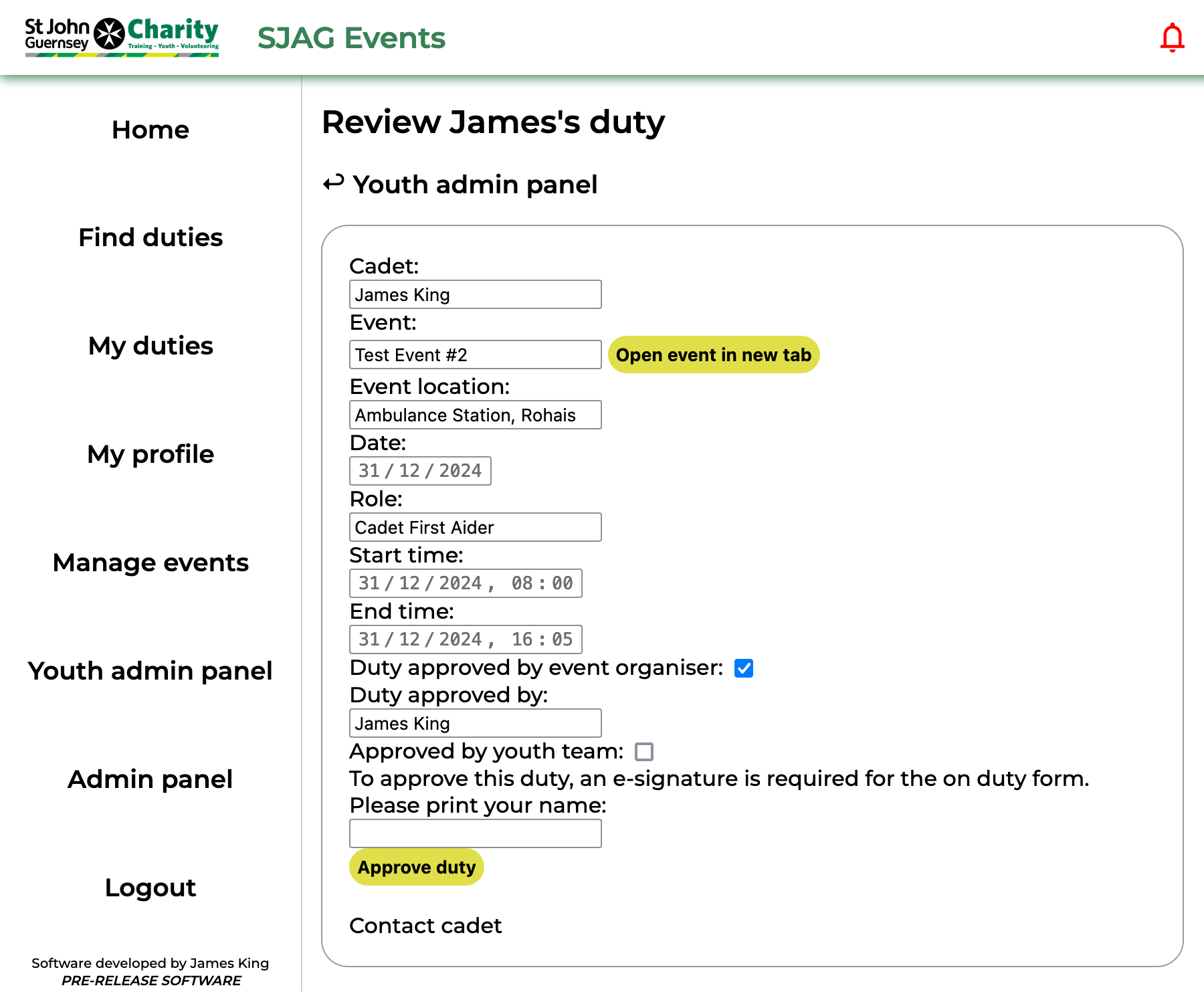](https://docs.jamesdev.co.gg/uploads/images/gallery/2024-10/cadet-review-duty.png) | The 'Review cadet booking' page serves two vital functions; to display the relevant information about a Cadet's booking, and to facilitate the youth team approval process.
The first box displays the information on the duty, including its location and date. The times of the duty and cadet role are also displayed. Clicking the 'Open event' button will display the 'Event overview' page in a new tab.
To approve the duty, enter your name into the e-signature box and click the 'Approve duty' button. This will automatically generate and send an on-duty form to the cadet, you can download a copy of this form by clicking the 'Generate form' button and downloading it to your device.
**Note:** until the duty is reviewed and approved by the youth team, event organisers are unable to accept the booking. Clicking 'Contact cadet' will open up a new email in your deafult email application addressed to the cadet. |
| [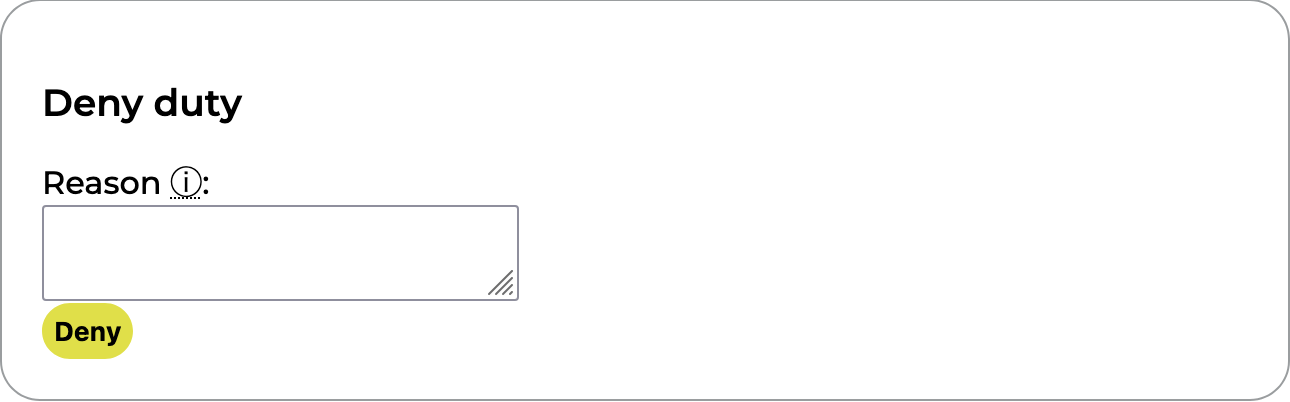](https://docs.jamesdev.co.gg/uploads/images/gallery/2024-10/cadet-review-duty-deny.png) | The second box is used for denying a Cadet's duty. This can be done at any time, even once the duty has already been approved. A text field is provided for a short message to be written, this will be included in the email sent to the cadet by the system. |
| [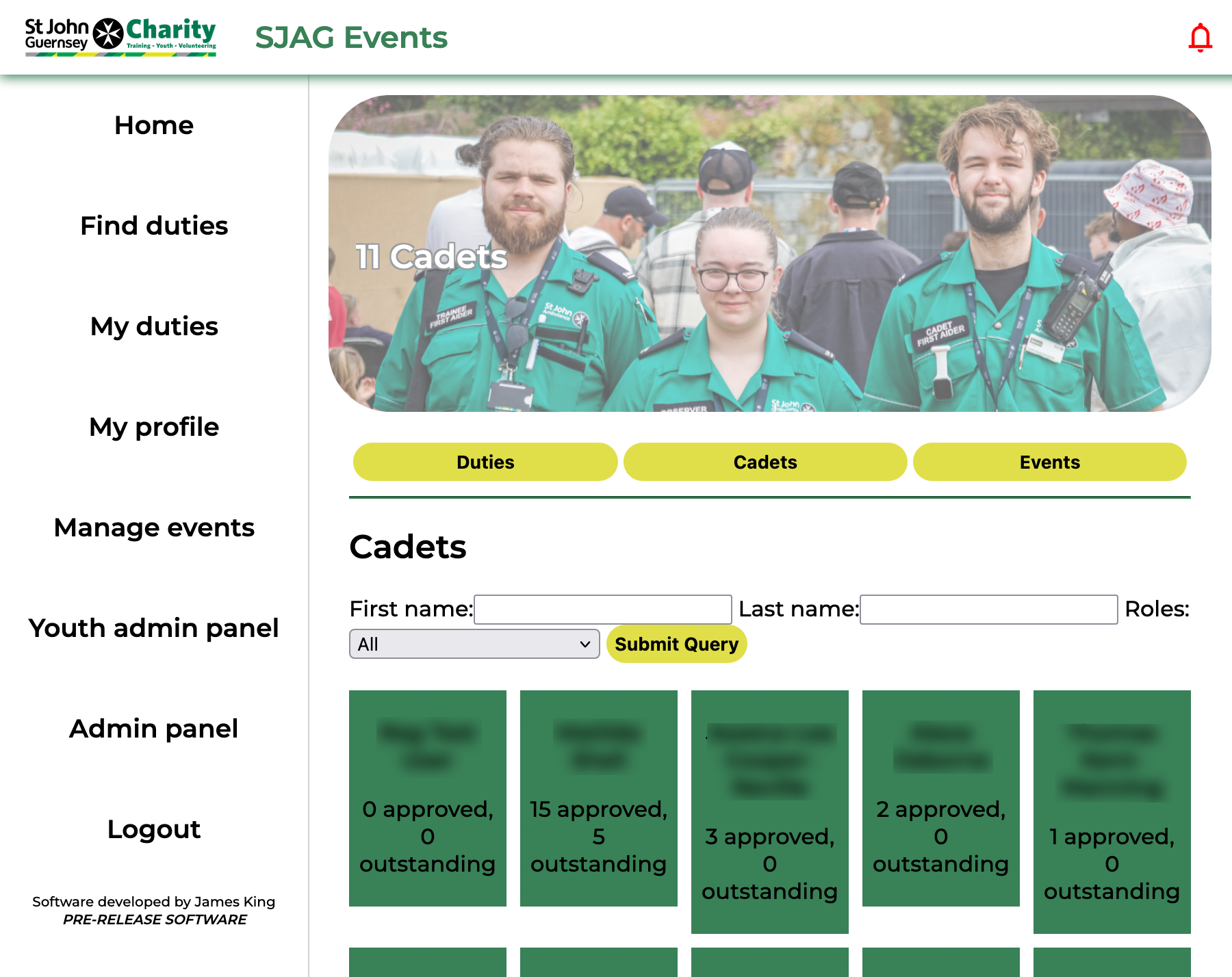](https://docs.jamesdev.co.gg/uploads/images/gallery/2024-10/cadet-overview-page.png) | The 'Cadet overview' page lists all users on the system who have a cadet role. Use the search form at the top of the page to quicky refine your search by name or role. Clicking on a user tile will open the 'Manage cadet' page. |
| [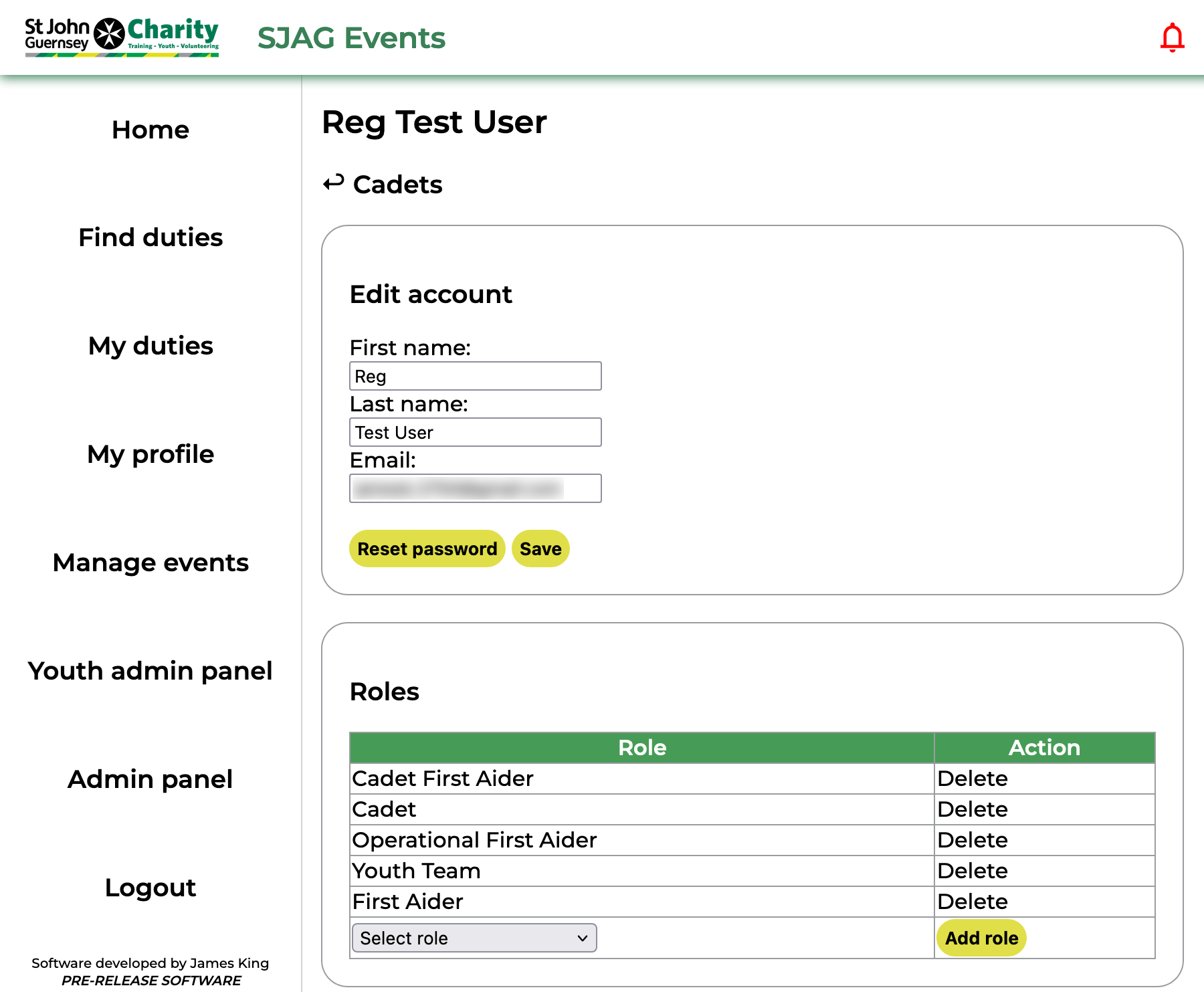](https://docs.jamesdev.co.gg/uploads/images/gallery/2024-10/ya-cadet-manage.png) | Youth admins are granted permission to alter some of the information on a cadet's SJAG Events account. This includes changing their name, email, and resetting their password. This can be done in the first box of the 'Manage cadet' page. Make sure to press the 'Save' button after making any edits to their personal details. In the second box, youth admins are also able to remove and add cadet roles. Clicking 'Delete' next to a role in the table will remove that role from the user, selecting a role from the dropdown and clicking 'Add role' will add it. |
| [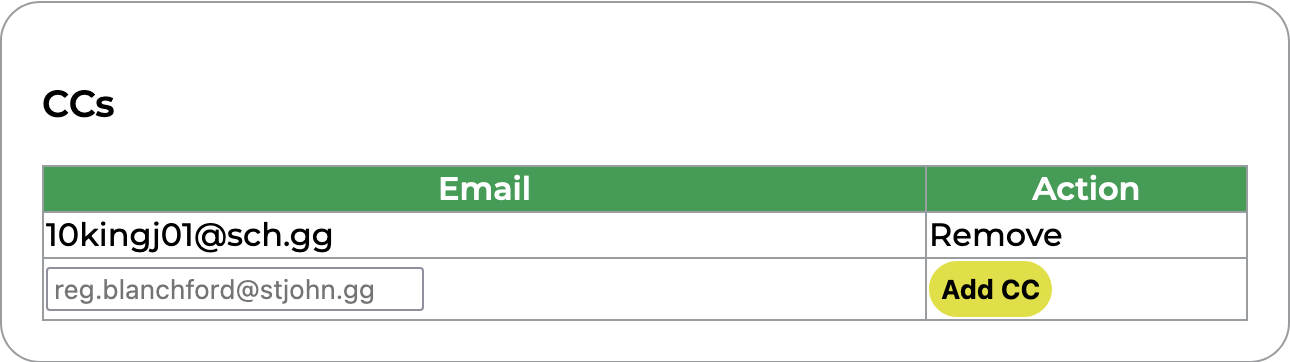](https://docs.jamesdev.co.gg/uploads/images/gallery/2024-10/ya-cadet-manage-cc.png) | CCs can be added to cadet accounts. These are additional email addresses which will be carbon-copied into all emails sent from SJAG Events to that user. However, these addresses cannot be used to access SJAG Events or will be displayed to any other users on the system. CC addresses can also be removed by clicking the 'Remove' button next to them in the table. |
| [](https://docs.jamesdev.co.gg/uploads/images/gallery/2024-10/ya-cadet-manage-duties.png) | The duties table shows all the duties the cadet has signed up for and their approval status. Clicking the 'Review' button will open the review page for that booking. |
| [](https://docs.jamesdev.co.gg/uploads/images/gallery/2024-10/cadet-events-overview.png) | The 'Cadet event overview' page lists all events which have been marked as Cadet-friendly (as of V0.25.3). Events shown on a green tile are upcoming, while those on a grey tile have passed. Clicking on a tile will take you to the 'Youth admin event view' page. |
| [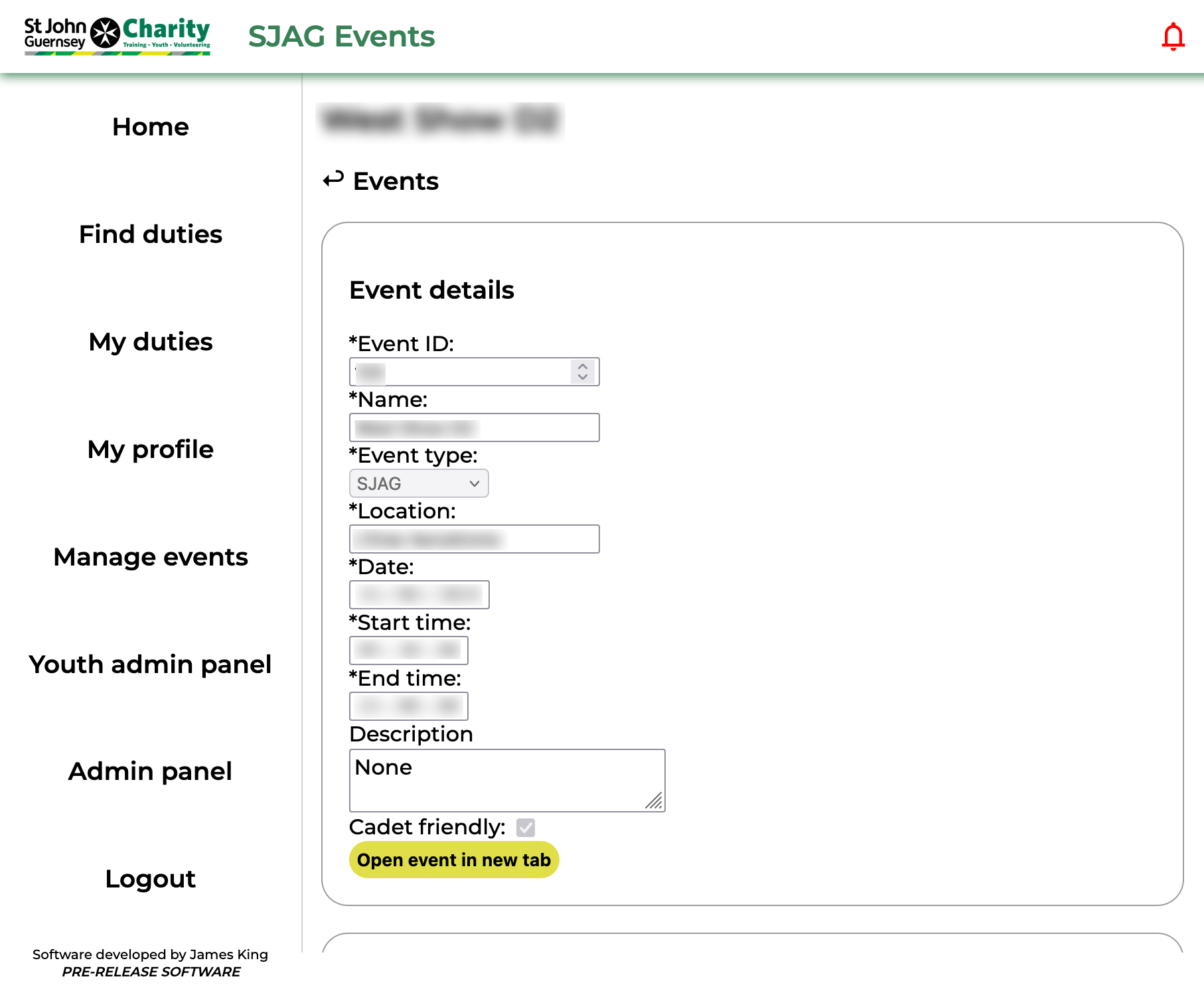](https://docs.jamesdev.co.gg/uploads/images/gallery/2024-10/ya-event.png) | The 'Youth admin event view' page shows information on an event a cadet has made a booking for. This includes the date, times, and location of the event. Clicking the 'Open event' button will launch the event overview in a new tab, where details about adult cover can be found. |
| [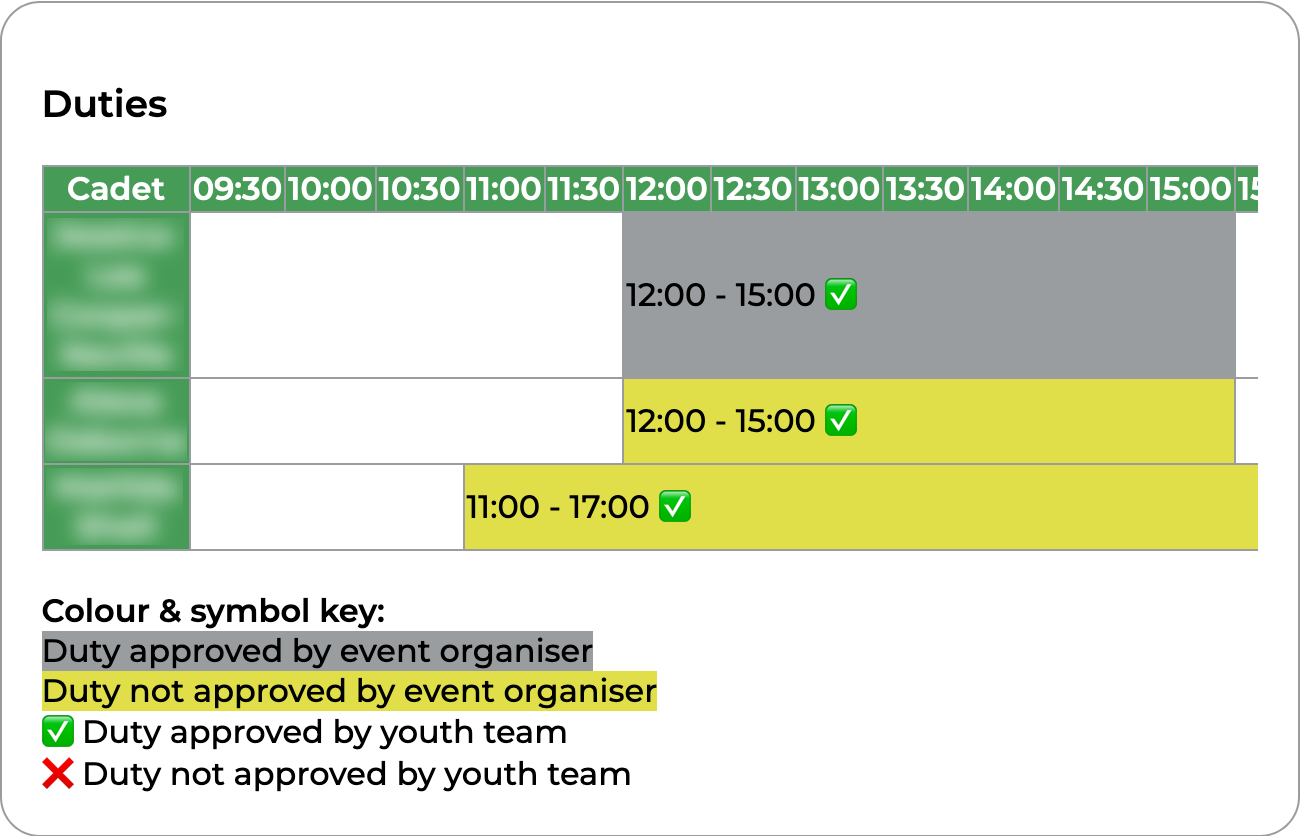](https://docs.jamesdev.co.gg/uploads/images/gallery/2024-10/ya-event-duties.png) | The duties timeline in the second box displays all the cadet duties in chronological order. Duties marked in yellow have not been approved by the event organiser, those in grey have. In addition, a tick indicates that the duty has been approved by the youth team, and a cross indicates that it has not yet been approved. Clicking on a duty in the timeline will open the review page for that duty. |