
iCalendar feature
SJAG Events supports the iCalendar protocol, allowing the system to communicate with the calendar on your phone, tablet, smartwatch, computer, and more. Through this, duties you make on SJAG Events will be automatically populated into your device's calendar, helping to keep your duties organised.
Note: iCalendar can take a while to update, depending on your device or app's settings. Please keep this in mind if your duty does not appear or update on your calendar instantly.
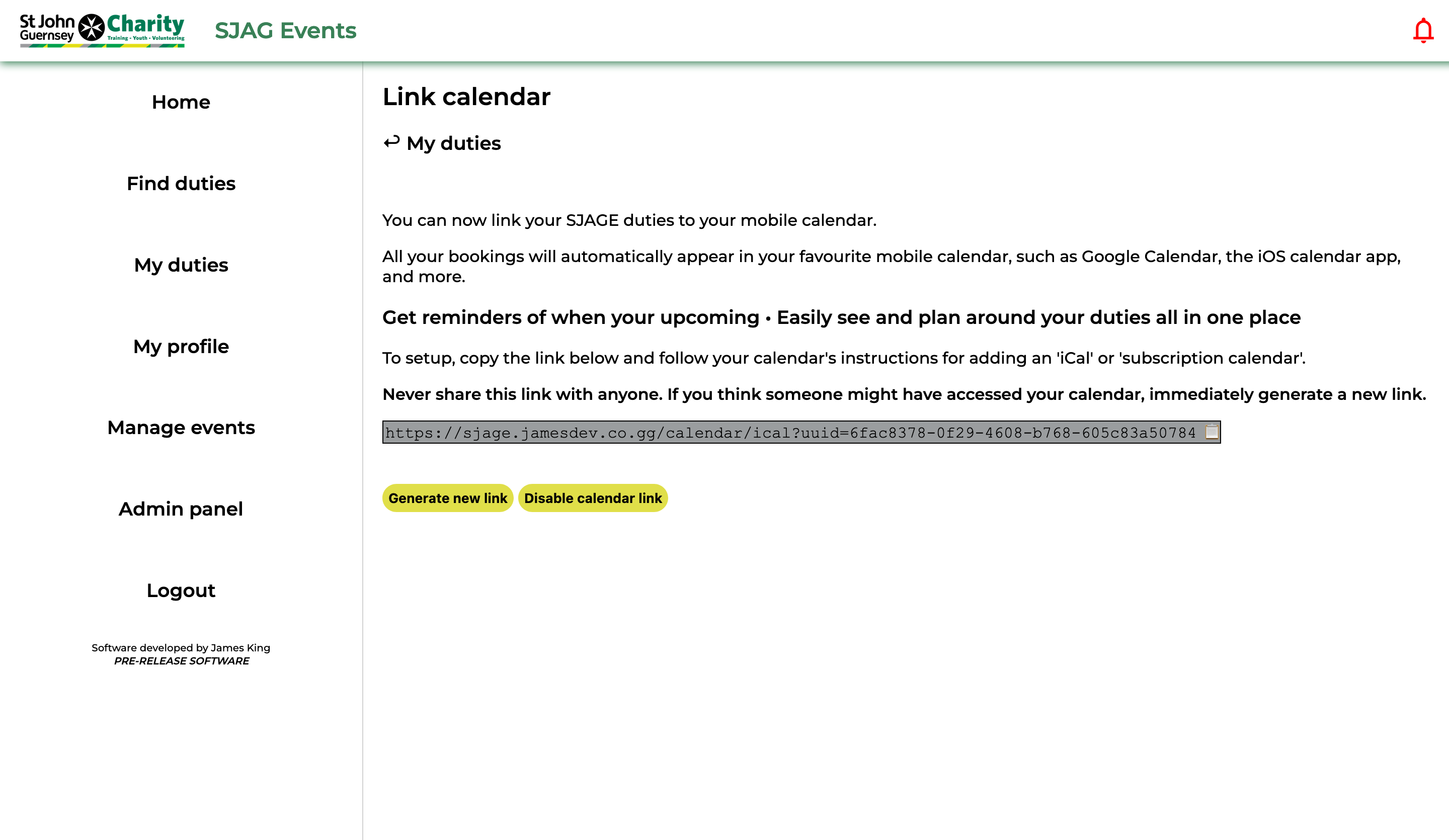 |
To enable the iCalendar feature, click 'Generate new link'. You may only have one link at a time, one link may be used across several devices symultenously.
Your unique iCalendar link is displayed in the grey box, this can then be copied into your calendar app by selecting the text and copying it or by clicking on the clipboard emoji at the end to copy.
Setting up your calendar app to accept the iCalendar URL will differ from app to app, but is generally very simple. Attached to this guide are links to articles for the major calendar apps, follow the steps for subscription calendar URLs.
If you wish to stop using the feature, click 'Disable calendar link'. This will instantly deny any future requests to the system. If you wish to reenable iCalendar, you will need to regenerate a new link and enter this into your calendar app. |
SECURITY NOTE: Your iCalendar link is unique to you, with the long string of text at the end being used by the system to identify and authenticate your calendar's request. Never share this link with anyone. If you believe someone else has gained access to your calendar link, immediately generate a new link.
No comments to display
No comments to display