
The home page & side bar
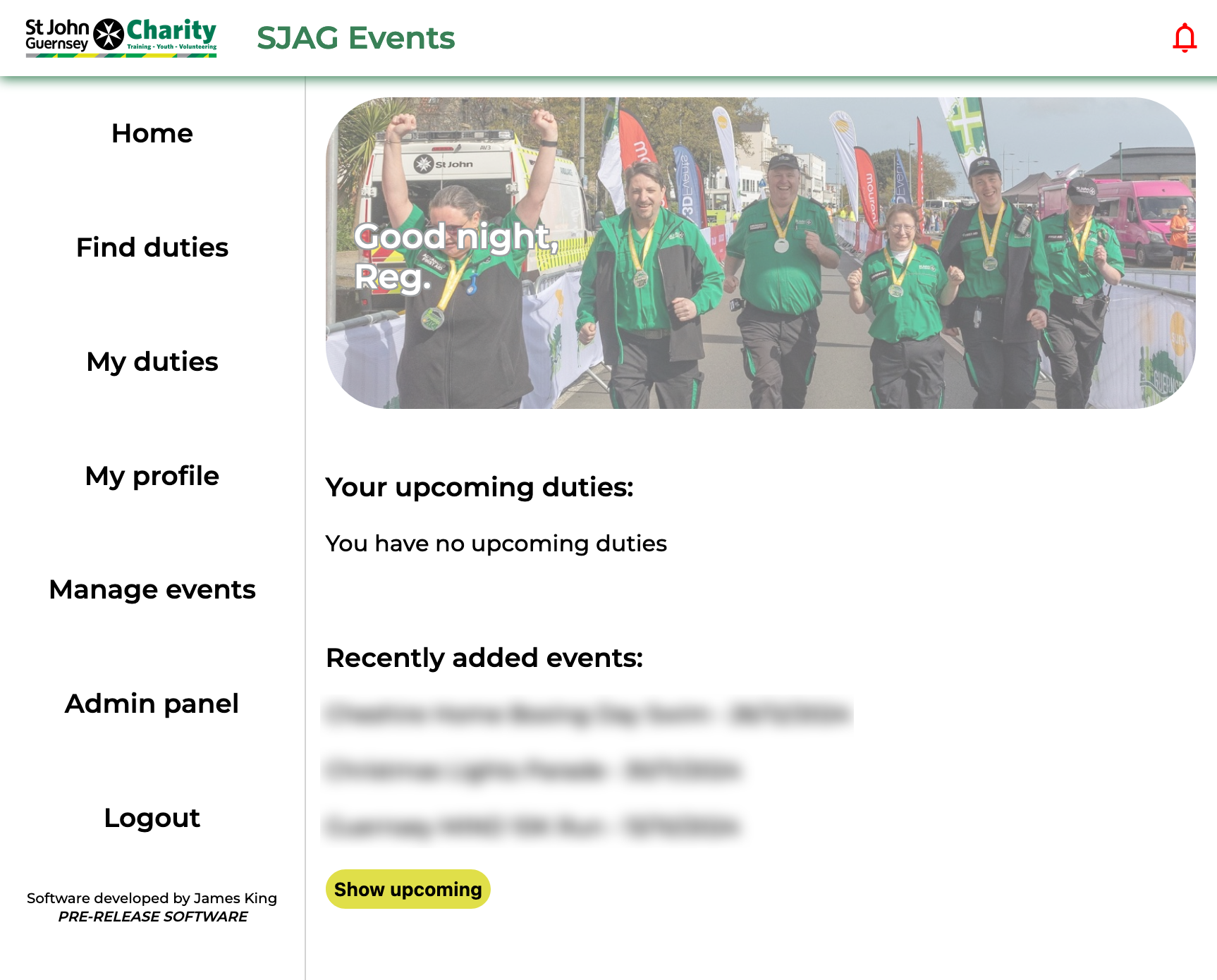 |
SJAG Events is primarily navigated using the left side bar, this contains links to the major actions of the website. The contents of your side bar will differ slightly, depending on what system roles you have. Clicking on any of the buttons will take you to the associated page. Clicking on the lowermost button, below login, will show the 'about' page.
On the homepage, your closest duties will be displayed. Additionally, you can also see events that have been recently added to SJAG Events, and upcoming events.
The bell in the top bar opens your notification inbox. When you have unread notifications, the bell is read, when your inbox is clear, it is green. |
No comments to display
No comments to display